CSUMB_SSBU_Study
CSUMB SSBU Study - Psytoolkit modifications
This document is an overview of the small modifications made to the psytoolkit HTML files, and a general overview of how to get these mods into the experiments.
Mod features:
- Automatic CSV download upon experiment completion
- Custom landing page/experiment start screen injection (if you want a custom bitmap on start screen, you will need to see method
loadWelcomeImageBitMapand replace thewelcomeImageBitMapwith your own base64 encoded image string).
Once you have transpiled and downloaded the experiments, if you want support of our mod, you will need to follow these set of steps.
- Copy our mod script to your clipboard.
- Under the main
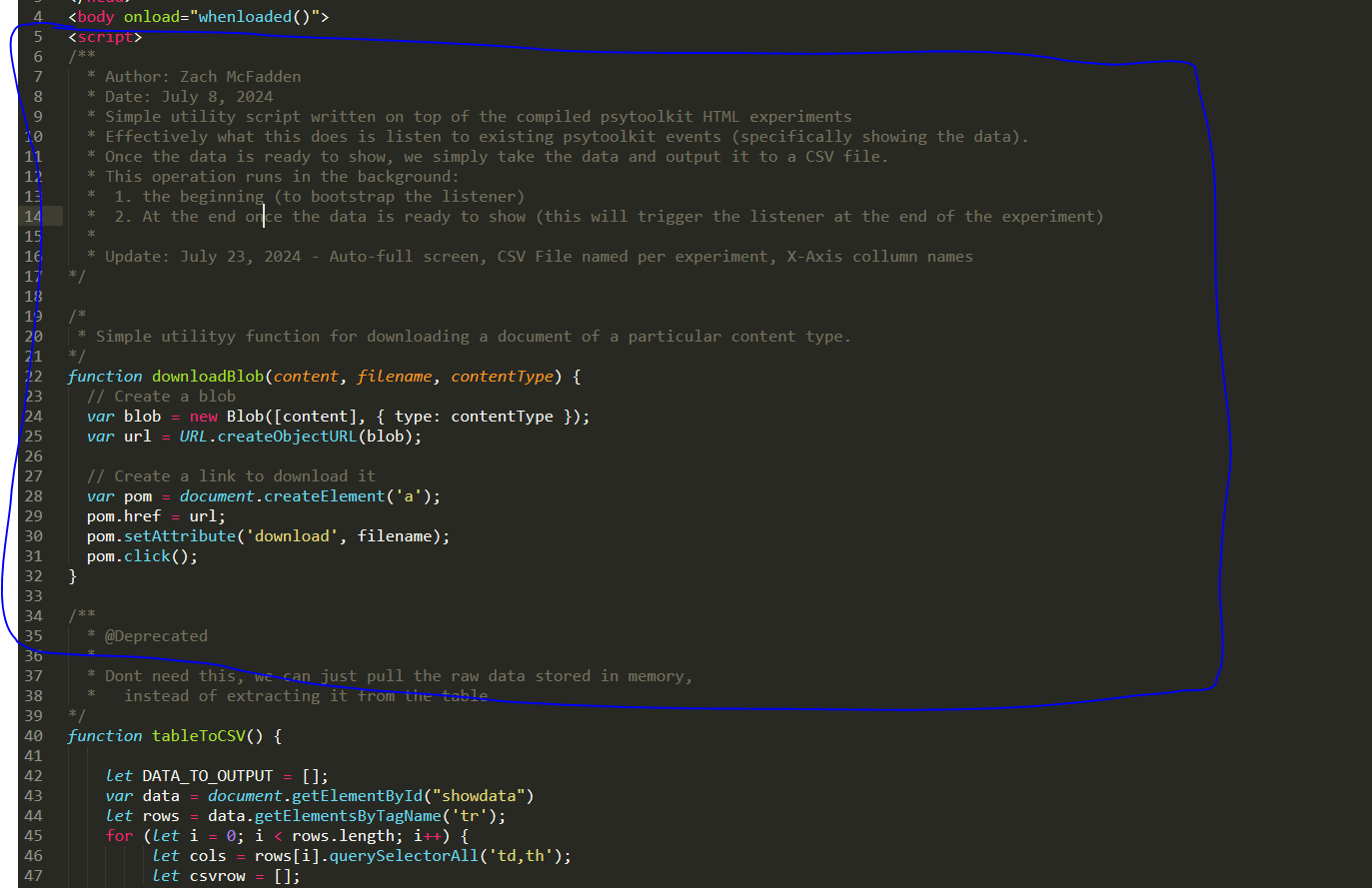
bodyblock of the experiment, but a new<script></script>block, and inject the mod script there, see screen shot:
- Next, we’ll need to call a couple of custom functions in the experiment. Find the defintion for the psytoolkit
whenloadedfunction, and add the follow function calls:
// Automatic download
initCustomDataLoader();

// Custom image
loadWelcomeImageBitMap();
See below for a full working example:
function whenloaded(){
tmp1 = document.getElementById('exp');tmp2 = tmp1.getContext('2d');tmp2.fillStyle='red';tmp2.fillRect(175,125,450,350);tmp2.fillStyle='yellow'; tmp2.font='24px Arial'; tmp2.textAlign='center'; tmp2.fillText('Click to start',400,300); window.addEventListener('mousedown', tmpmouse, false)
var canvasbox=document.getElementById('cbox');
iswebkit=RegExp('webkit').test(navigator.userAgent.toLowerCase());
canvasbox.addEventListener(iswebkit?'webkitfullscreenchange':'fullscreenchange', (event) => {if(document.fullscreenElement==null){psy_screen_scale(0,false);}})

// Automatic download
initCustomDataLoader();

// Custom image
loadWelcomeImageBitMap();

}
The idea here is, whenloaded is effectively main for the experiment, and is configured to run when the body of the experiment is loaded up.
Now if you load up the experiment, it should automatically download a CSV of the results upon completion of the experiment.